Your phone is okay.
It just gets a little warm when you use it, which is normal. It is under warranty, so if anything were ever truly wrong, Google would fix it for free. You do not need a new phone, and you do not need a repair store. The pictures below show you how to get a Google expert to call you and tell you the same thing. You cannot break anything by following them.
- Phones get warm when you use them. Warm is normal. It does not mean anything is broken.
- The apps that follow your location, like the Snapshot app for your insurance, run a little warm while they work. That warmth is the trade for your lower bill, and it is worth it.
- Your phone is smart. If it ever truly got too hot, it would simply turn itself off on its own to stay safe. It will not hurt itself, and it cannot hurt you.
You use your hotspot every day, and that is fine. It is safe, and you can keep using it. Here is the trade, so you know what is happening.
- It makes the phone a little warmer, because the phone is doing more work. That is normal.
- It uses more battery, so you may need to charge a little more often.
- It uses your cell data instead of home internet. Your plan includes the hotspot, so it does not cost you extra.
None of that can hurt the phone. If it ever feels too warm, take it off the charger and keep it out of the sun. The phone also turns itself off on its own if it ever got too hot, so it cannot harm itself.
First, please do not spend any money.
- Do not buy a new phone. Do not go to a repair store.
- This phone is less than a year old, so it is under warranty. That means if anything is ever truly wrong, Google fixes it for free. You would never pay a store a single dollar.
Before you start: sign in.
Make sure you are signed into your Google account on the phone first. If you need the password, it is in the email I sent you. Open your email and it is right there.
Want a Google expert to call you?
There is nothing wrong with your phone. These steps just get a real person at Google to call you, for free, and they answer day and night. Follow the pictures one at a time.
- 1Tap the button below to open Google.
If it asks who you are, sign in. Your password is in the email I sent you.
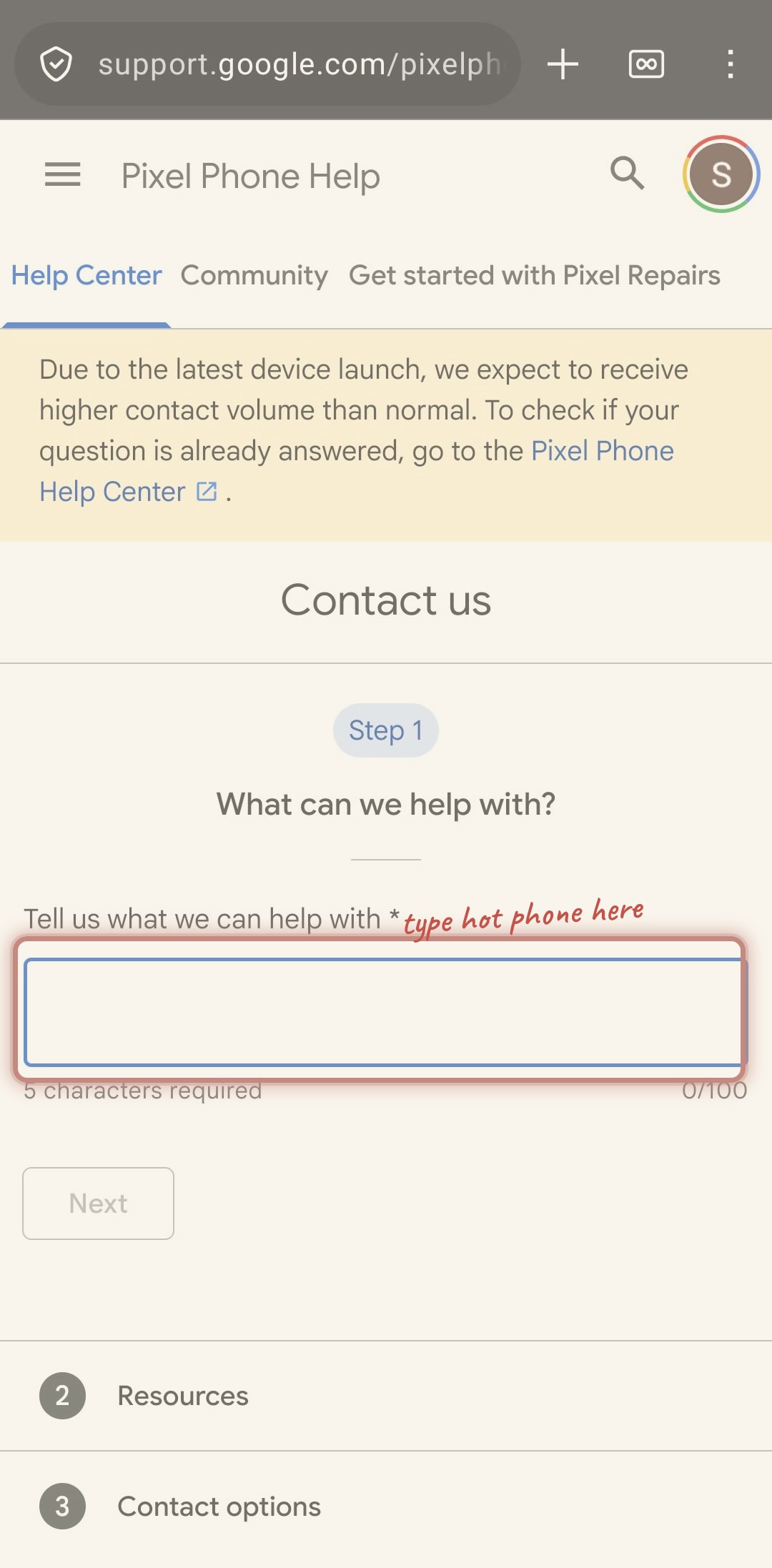
- 2Type these two words: hot phone
Tap the box under What can we help with, then type the two words. Lowercase is fine.
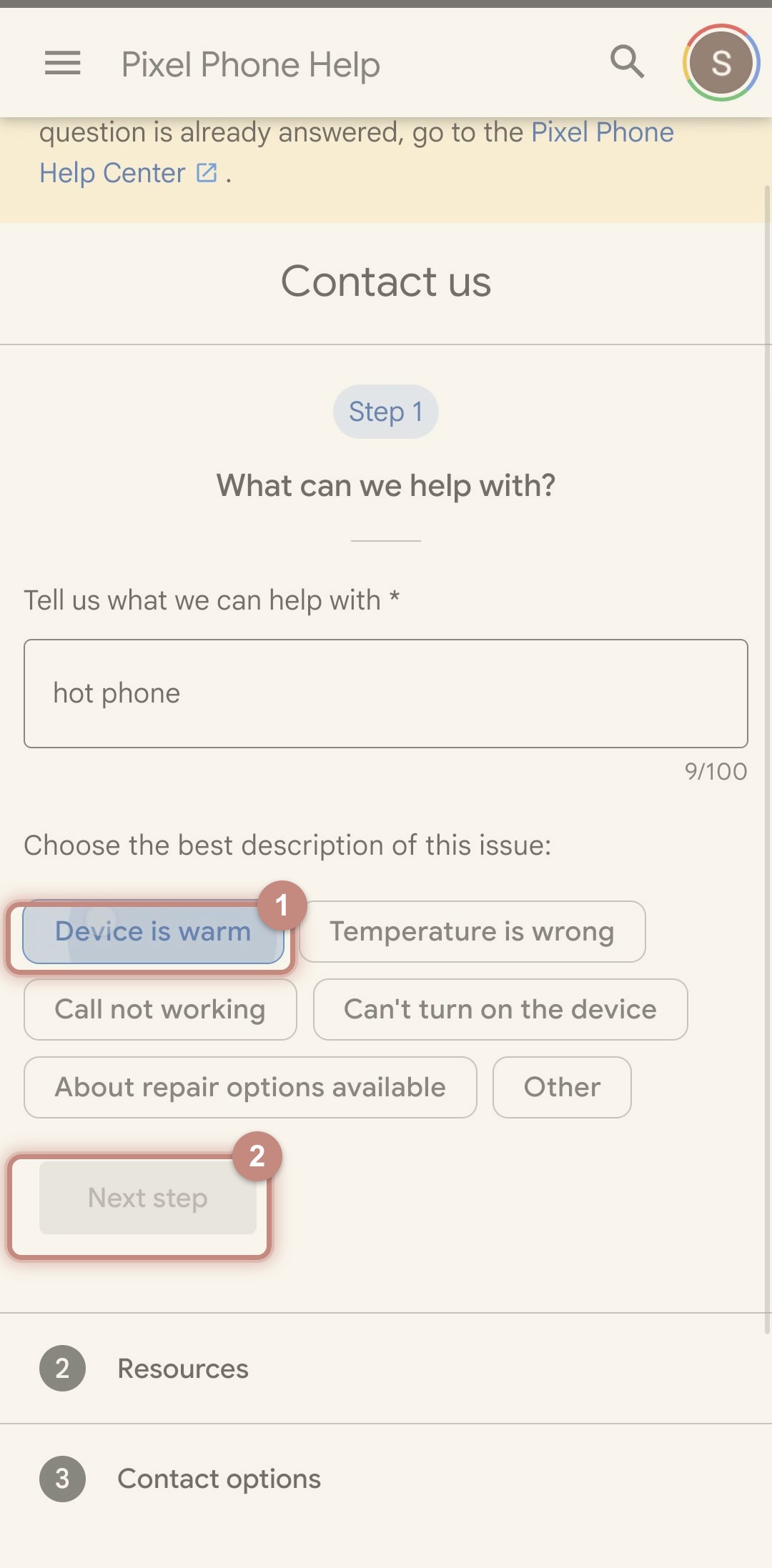
- 3Tap Device is warm, then tap Next step.
Device is warm turns blue when you tap it. That is how you know it worked.
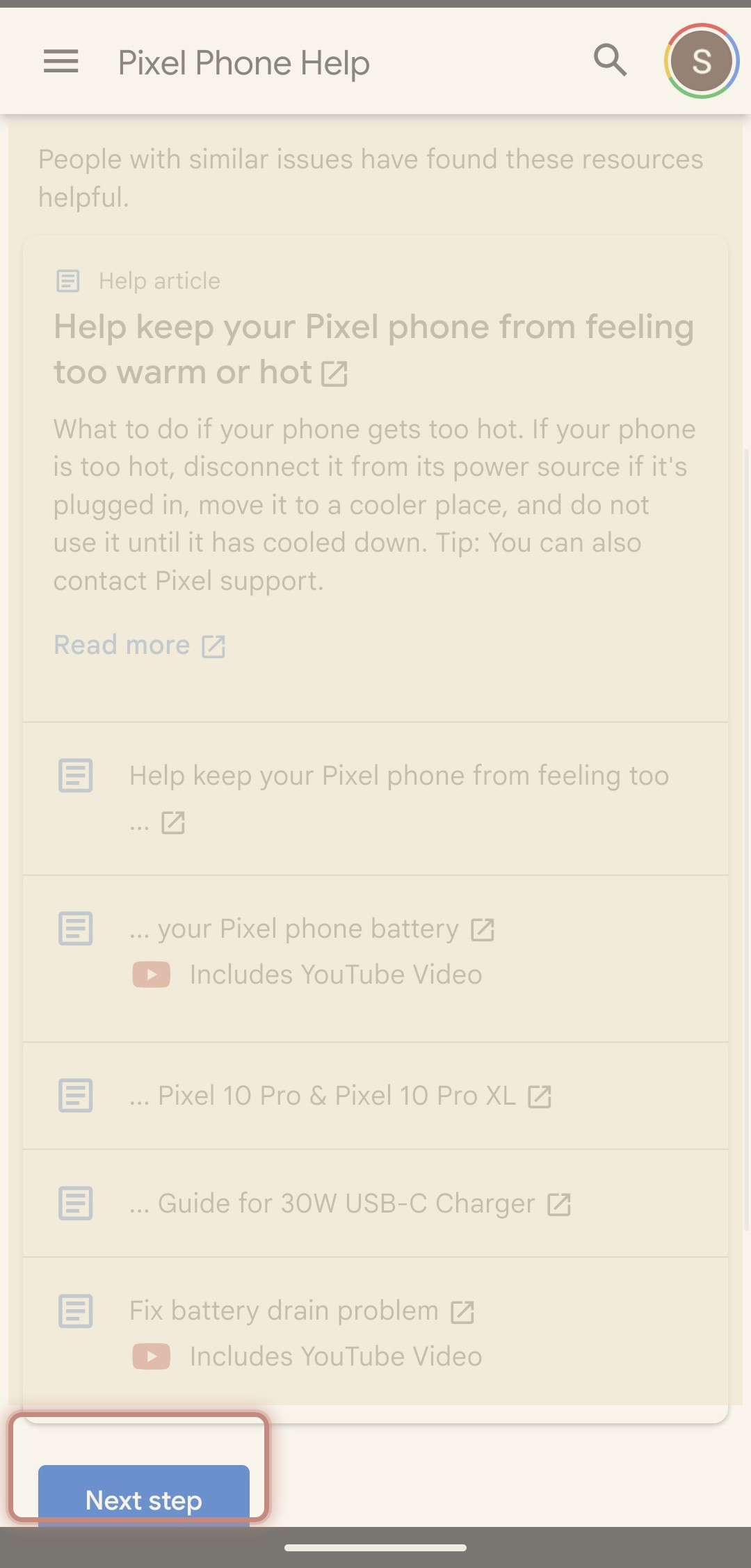
- 4Tap Next step again.
A list of articles shows up first. You do not read them. Just tap Next step.
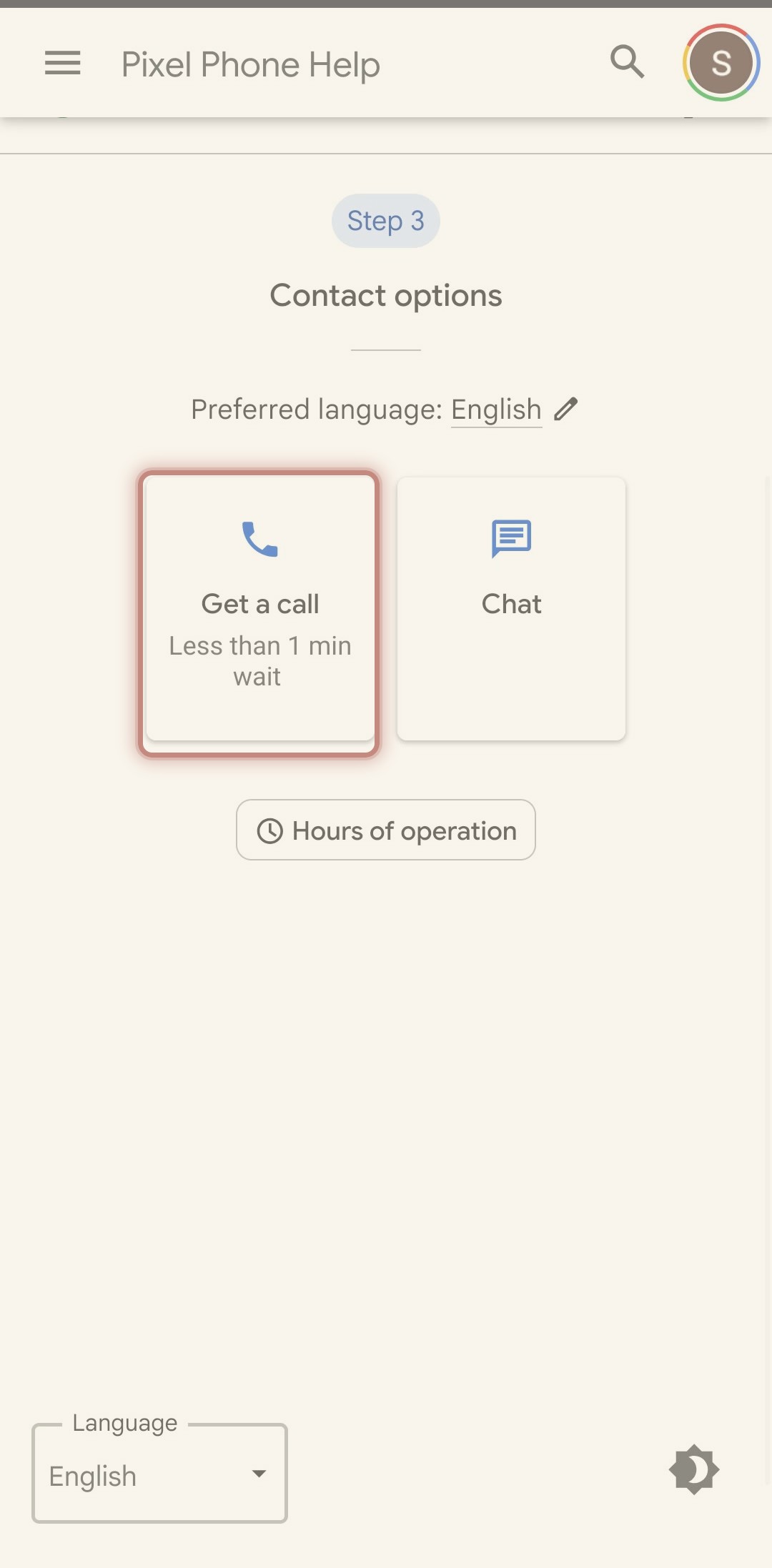
- 5Tap the Get a call card.
It is the one that says less than 1 min wait. The other one is Chat. You want Get a call.
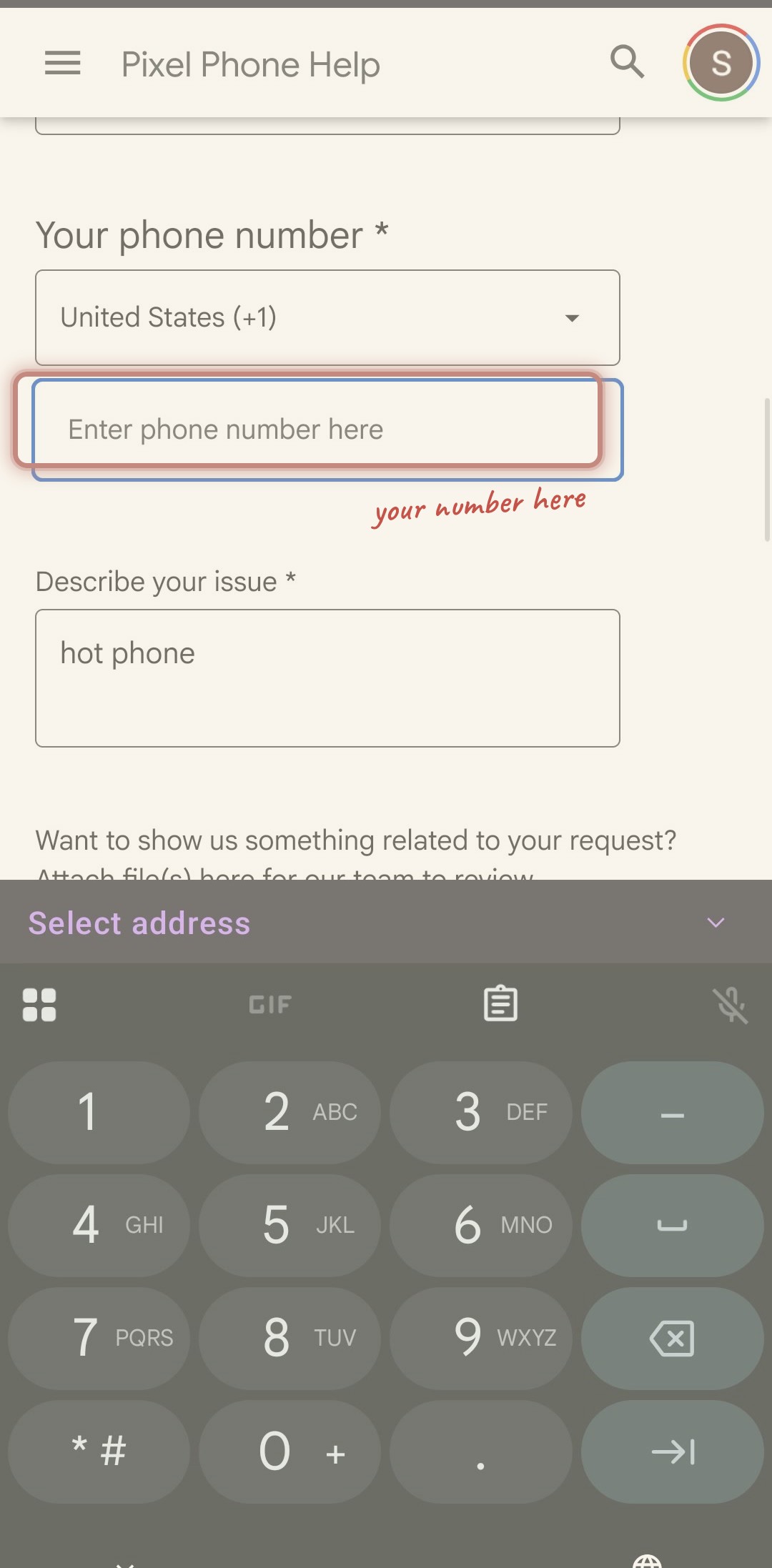
- 6Type your phone number in the box.
Your name is already filled in. You only add your number.
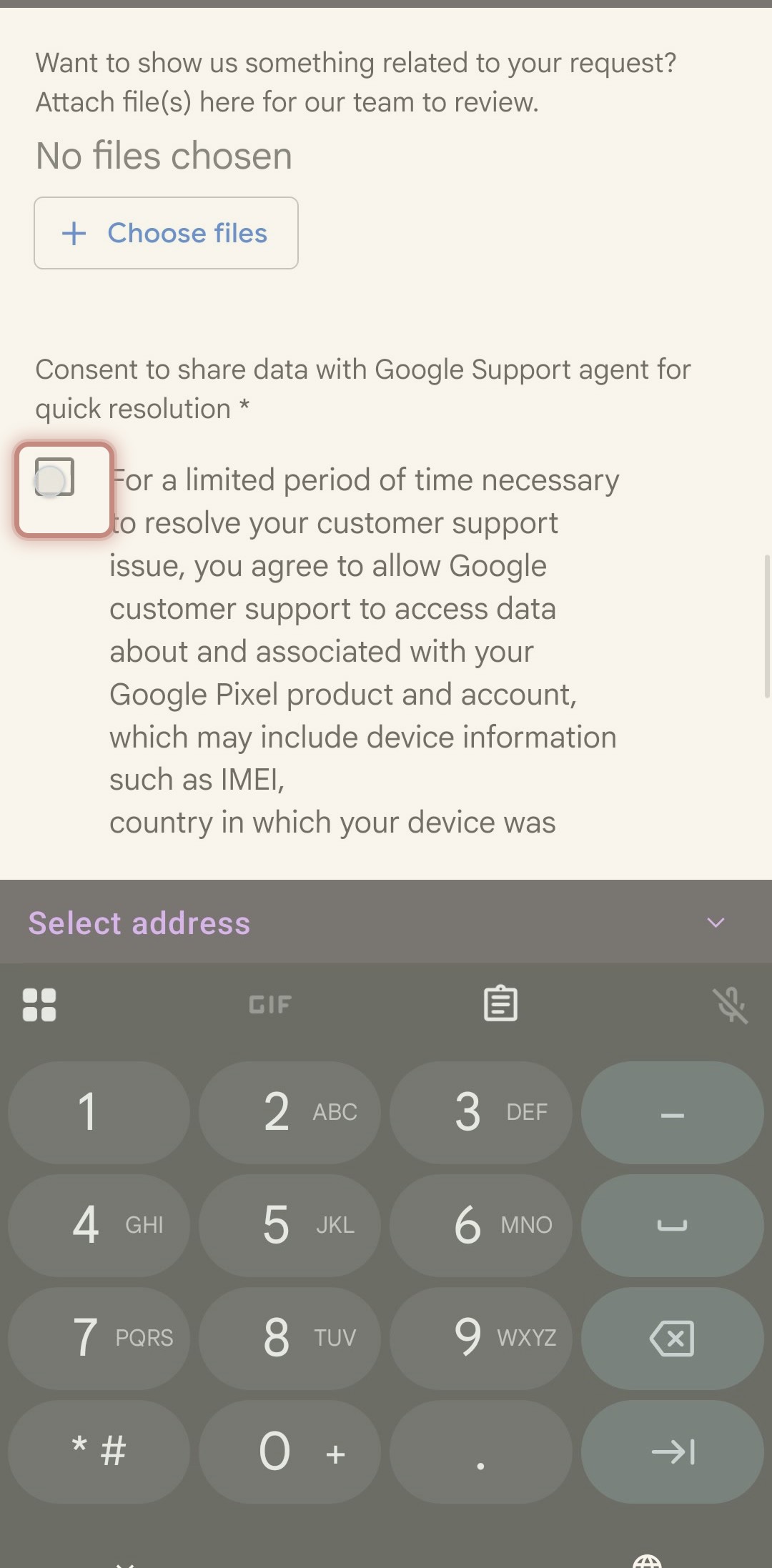
- 7Tap the small box, then tap Next.
Tapping the box puts a check in it. Then tap Next, and Google calls you.
- 8When it rings, tap Speaker and set the phone on the table.
Google calls you within a minute. Tap Speaker, lay the phone flat, and talk toward it. That keeps your cheek off the screen so the call does not hang up by accident. That is the only thing that happened last time.
Tap the speaker button, set the phone on the table, and talk toward it. That keeps your cheek off the screen so the call does not hang up by accident.
There is nothing to fix right now. If you want to put the phone down for a bit, here are a few ideas.
- Set the phone down and walk away from it for a while. Nothing happens to it.
- Step outside or sit on the porch for a few minutes.
- Go for a swim. The phone will be right where you left it.
- Make a cup of tea and let the phone sit there.
That is the whole thing. The phone is fine, and now you know how to get Google to check it any time you want.
your son's AI